



Adding a QR code to a personalised textile label is now one of the simplest ways to meet new traceability and product information requirements—especially as the Digital Product Passport (DPP) rolls out—without complicating manufacturing.
Designers, brands and textile professionals must now balance regulatory compliance, clear product information and production constraints. The good news: a well-designed label, enhanced with a QR code, is often enough to meet these challenges.
Textile traceability: why the rules are changing
The regulatory context: DPP, transparency and product information
Across Europe, the direction of travel is built on three pillars: stronger traceability, longer-lasting products and a more circular economy. The Digital Product Passport (DPP) is increasingly becoming the reference framework for the textile sector. This digital passport is designed to make all key product information accessible—from design and manufacturing through to end of life.
In the near term, brands will be expected to provide precise data on fibre composition, raw material origin and manufacturing processes. Over time, requirements are likely to extend to environmental impact, recycling guidance and relevant certifications. Brands that prepare early can position themselves as transparent and responsible in the eyes of consumers and retailers.
What this means in practice for designers and brands
Fashion brands and independent designers are facing a sharp increase in the volume of information they need to communicate. Traditional sewn-in labels are limited by physical space and can no longer carry every detail that is becoming expected. The need is growing for scalable, updateable information—without physically changing the product.
This constraint can become an opportunity: a traceability label with a QR code turns compliance into a differentiator. It signals a professional approach aligned with consumer expectations and retail requirements.
QR code + textile label: a simple, scalable solution
Why QR codes are the obvious choice
A QR code on a garment label meets four essential needs. Smartphone access is instant and frictionless: users simply scan with their camera—no app required. Information capacity becomes effectively unlimited, freeing up the physical label. Content can be updated without changing the label itself, keeping information current over time.
This approach works across cotton, polyester, technical blends and both natural and synthetic fabrics. Digital printing ensures crisp readability, even after repeated wash cycles.
Key benefits of a QR code label
- Prepare for compliance: a QR code textile label helps future-proof your collection for DPP requirements.
- More space on the label: keep the essentials readable, with deeper information available via the code.
- A modern, professional brand signal: QR codes communicate innovation and transparency.
- Better customer experience: mobile access to product details builds trust and adds value.
How to create a QR code label with Tissus Print
A personalisation interface built for professionals
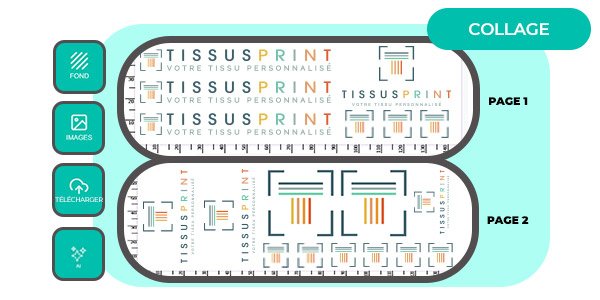
With Tissus Print, creating a textile label with a QR code happens directly within the personalisation flow—no external tools and no technical skills required. Everything is done in one place, using an intuitive interface designed for designers, fashion labels and creative studios.
You can upload a logo or image, add custom text (brand, size, fibre content, care), choose colours and fonts consistent with your visual identity—and most importantly, generate a QR code directly on the label. No complicated steps, no awkward export/import processes.
Create your QR code in 4 steps
Generating a QR code directly on your personalised label takes just a few clicks in the Tissus Print online editor:
- 1. Click “Personalise this design” to open the online customisation tool.
- 2. Select the QR code icon at the top-left of the interface:

- 3. Choose the type of content to embed:
- either an external link (product page, DPP page, website, PDF document)*,
- or enter regulatory information directly as text.

- 4. Confirm your choice: the QR code is generated automatically and appears instantly in the label preview.
*Note: the URL linked to the QR code must remain exactly the same over time. If the URL changes, the QR code becomes obsolete and you will need to reprint new labels.
Reliable integration optimised for textiles
Because the QR code is generated natively inside the Tissus Print editor, you benefit from:
- reduced risk of errors caused by importing external QR files,
- perfect compatibility between your graphic design and the QR code,
- optimised positioning, sizing and contrast for dependable scanning on textiles—even after printing and real-world use.
A workflow designed for designers, brands and professionals—combining simplicity, compliance and print reliability.
Test and validate with confidence
You can test the QR code immediately—before you place an order. Scan it with a smartphone camera to confirm the content displays correctly, the link works, and the information meets your requirements. This validation step avoids costly mistakes and ensures confidence in the final result.
Once you approve your design, Tissus Print prints your labels to French textile printing standards and dispatches them quickly. You receive a compliant personalised label, ready to sew in or apply as an iron-on label.
What information should you include in a regulatory QR code?
Most common information types
The QR code should provide clear, useful information and support compliance. Common content includes detailed fibre composition (exact percentages, material origin), origin and manufacturing details (where the fabric was made, where the product was assembled, partner workshops), full care instructions (temperatures, recommended products, precautions), regulatory information (certifications, labels, standards), and linked pages or documents (brand story, CSR approach, technical notes).
| Information type | Example | Recommended format |
|---|---|---|
| Fibre composition | 95% organic cotton, 5% elastane | Structured text or web page |
| Manufacturing origin | Woven in France, made in Portugal | Web page (optionally with map) |
| Care | Wash at 30°C, line dry, cool iron | Text or downloadable PDF |
| Certifications | OEKO-TEX Standard 100, GOTS | Link to official certificates |
A practical example
An eco-conscious clothing brand uses a clean, black-and-white sewn label that shows only the brand name, size and a discreet QR code in the bottom corner. Scanning the code opens a clear, updateable information page with the exact fibre breakdown, the production workshop, relevant certifications and care tips to extend the product’s lifespan.
This approach combines compliance with brand value. The label stays minimal, while the information remains complete and accessible. Customers appreciate transparency; retailers can verify conformity.
How to scan a QR code on a textile label
Scanning a QR code with an iPhone
On Apple devices running iOS 11 or later, no extra app is required. Open the built-in Camera app, point it at the QR code on the label and make sure the code is fully visible in the frame. A notification will appear at the top of the screen. Tap it to open the linked content—web page, product page or traceability information.
If no notification appears, check that QR scanning is enabled in Settings > Camera. The “Scan QR Codes” option should be turned on.
Scanning a QR code with an Android phone
On most recent Android devices (Android 9 and above), QR scanning is usually integrated into the Camera app or Google Lens. Open the Camera, centre the QR code in the viewfinder and hold steady for a few seconds. A link or prompt will appear. Tap it to open the associated content.
If your Camera app doesn’t scan automatically, use Google Lens: open the Google app, tap the Lens icon, then scan the code. Access to your textile information is instant, with no additional downloads.
Best practice and common mistakes to avoid
Best practice for an effective QR code
Ensure strong contrast and clear printing: a light background with a dark code supports reliable scanning, even in variable lighting. The link should point to a stable, long-term page hosted on a consistent domain. Information should be structured and easy to read on mobile, with clear hierarchy. Planning for future regulatory changes means you can update the page content without reprinting labels.
Prioritise a mobile-first layout, fast loading times and intuitive navigation. Users abandon slow or poorly optimised pages quickly.
Common real-world mistakes
The most frequent issues undermine both usability and compliance. A QR code that is too small (under 1 cm wide) may become difficult to scan after sewing or washing. Content that is not maintained over time damages trust: broken links, outdated pages or inconsistent information create friction and erode credibility.
A page that isn’t mobile-friendly forces users to zoom, scroll sideways or give up. Confusing or incomplete information cancels out the benefit of the QR code—if scanning doesn’t meet expectations once, most users won’t try again.
Create personalised QR code labels and easily add all your regulatory product information.
Personalise my QR code labels
FAQ - QR codes, labels and textile compliance
Is a QR code mandatory on a textile label?
A QR code is not yet strictly mandatory, but it is becoming the simplest way to meet Digital Product Passport requirements. Brands that adopt QR codes early will find it easier to comply as regulation evolves.
Can I change the QR code content after the label is printed?
Yes—if the QR code points to a web link. You can update the information on your page at any time without changing the sewn label. If the QR code contains static text, however, that content cannot be updated.
What is the minimum QR code size for a textile label?
A QR code should be at least 1 cm wide to remain reliably scannable after sewing. Tissus Print recommends 1.5 cm for optimal scanning.
Does the QR code replace mandatory information on the label?
No. Certain legal information must still appear physically on the label (such as fibre composition and basic care). The QR code complements this by providing richer, more detailed and updateable content.
Which label should I choose: sewn-in or iron-on?
An iron-on QR code label is ideal for quick, discreet application without sewing (necklines, inner waistbands). A sewn-in label offers greater durability and visibility, making it better suited to premium garments or items washed frequently.
Does a QR code work without a dedicated app?
Yes. Most modern smartphones scan QR codes directly with the native camera app, without third-party downloads. This keeps access universal and friction-free.
Take action with Tissus Print
Preparing for textile traceability is more than an administrative requirement—it is an opportunity to strengthen trust, showcase responsible practice and modernise the customer experience. A compliant personalised QR code label becomes a strategic asset that is accessible to brands and designers of every size.
Tissus Print supports this shift with a complete solution: intuitive personalisation, high-quality French printing and practical advice tailored to real-world constraints. Whether you are launching your first collection or scaling an established brand, adding a QR code to your labels is straightforward, progressive and requires no technical overhead.
Personalise your QR code textile labels today. Start with a first batch, validate scan quality, and refine your content as needed. Benefit from the expertise of a French workshop near Toulon, specialising in personalised textile printing and sublimation on technical fabrics.
Request a tailored quote, order a sample or speak with the Tissus Print team to identify the best labelling solution for your products. Compliance becomes simple when it fits naturally into your production workflow.


0 commentaires